
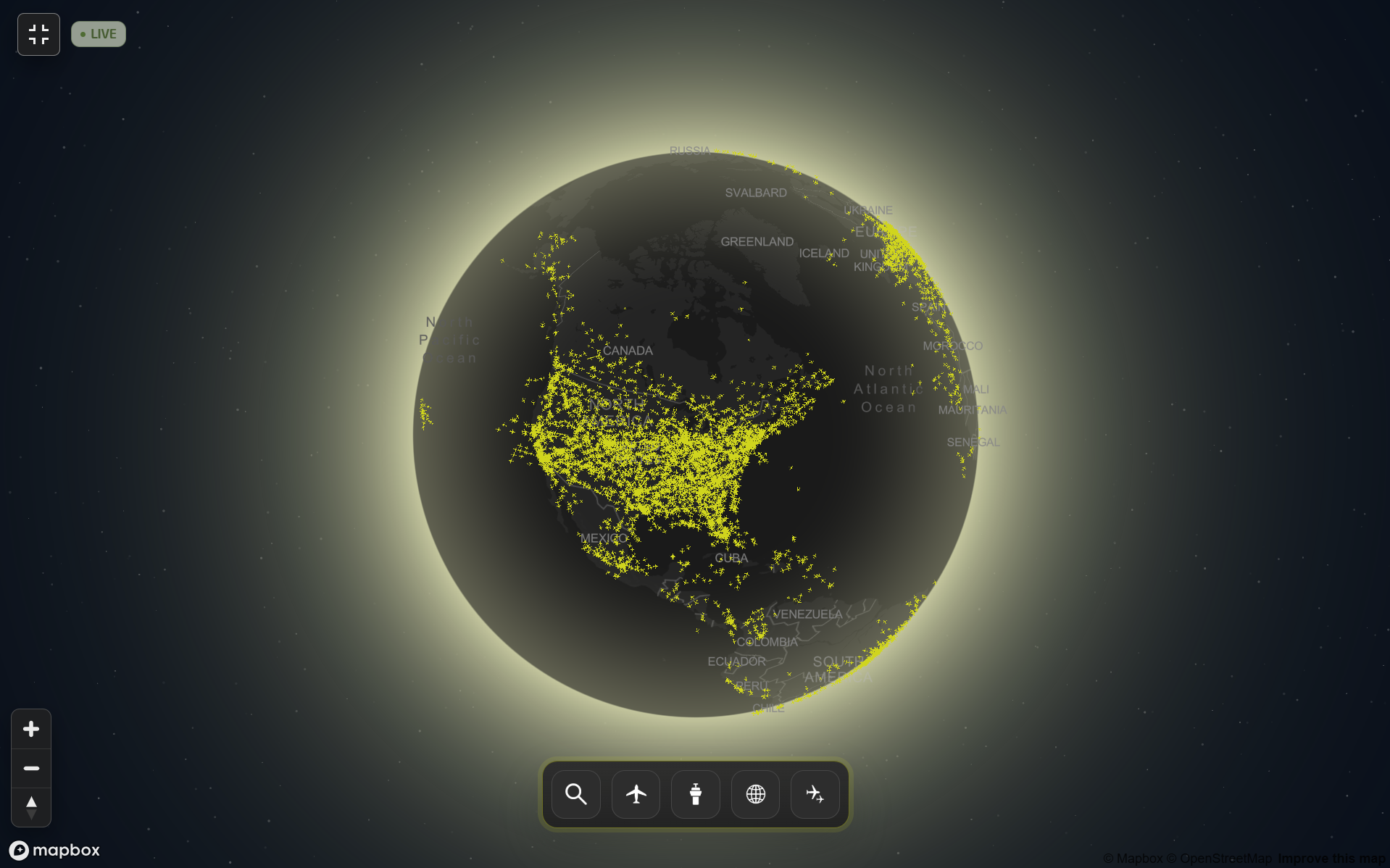
The core mission of the JetSpy platform has always been clear: to pair unfiltered aircraft visibility with efficient access to advanced data. Blocked-tail visibility, advanced reporting, and a seamless, intuitive interface— that’s been the foundation from day one.
What the platform hasn’t had is a map worthy of that foundation.
The Global Radar changes that. It’s a ground-up reimagining of the live tracking experience— a low-latency, global 3D map that brings every layer of our aircraft intelligence into a fluid view. It’s built for the people who use this data professionally: charter brokers confirming aircraft movements before a call, FBOs reading inbound traffic to prioritize outreach, analysts who treat operator movements and flight data as a genuine competitive advantage rather than a curiosity. No more toggling between a bare-bones map and JetSpy’s deep data value. It’s all accessible from one screen now.
The result is a radar that lives up to the mission of JetSpy— precise, fast, and unwilling to compromise depth for simplicity. You’re not trading one for the other.
How to Use JetSpy’s Global Radar
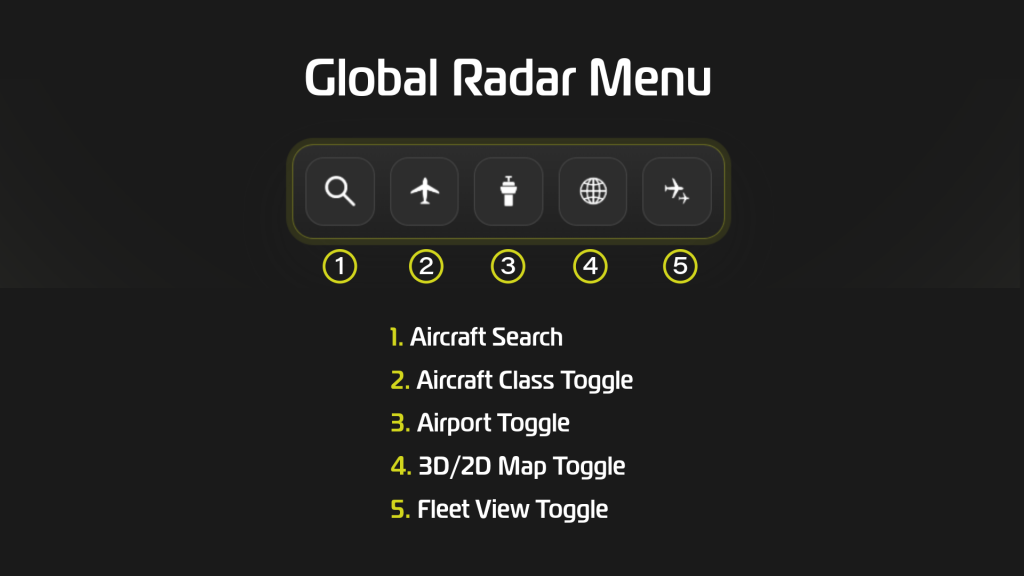
The Global Radar menu sits along the bottom of the map, and it’s designed to live out of your way until you need it. Each control does one job well:
- Aircraft Search — jump straight to a specific tail number, whether in flight or on the ground
- Aircraft Class Toggle — filter the map down to the category of live traffic you actually care about
- Airport Toggle — surface every airport on the map, with a direct line into JetSpy’s reporting tools
- 3D/2D Map Toggle — switch map styles instantly
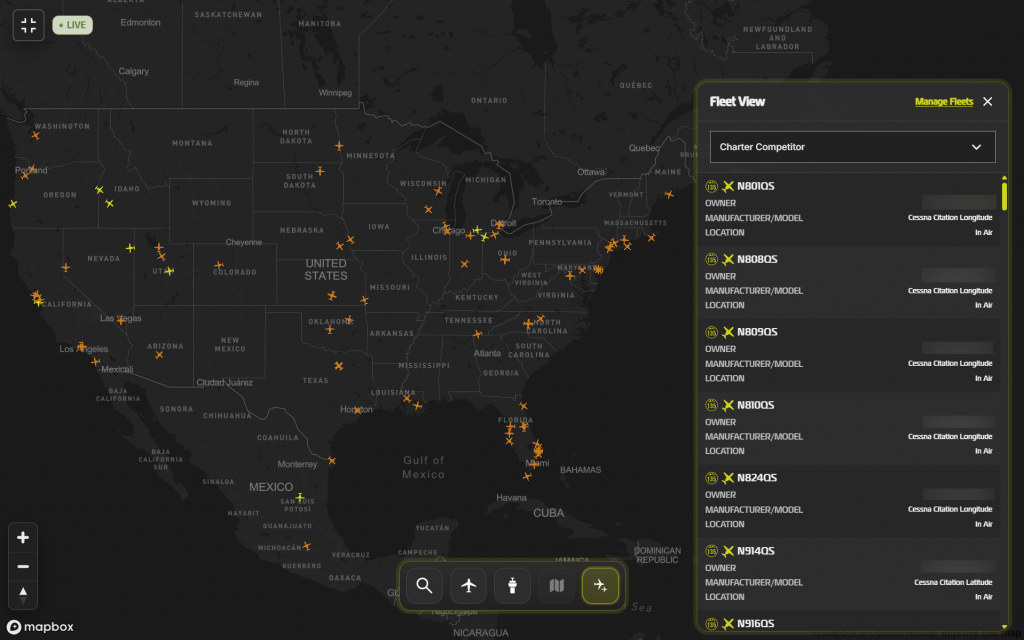
- Fleet View Toggle — track your custom aircraft groups in a single, unified view
We’ll walk through each below— but the short version is: the map adapts instantly to however narrow or broad you need the picture to be.
Aircraft Search
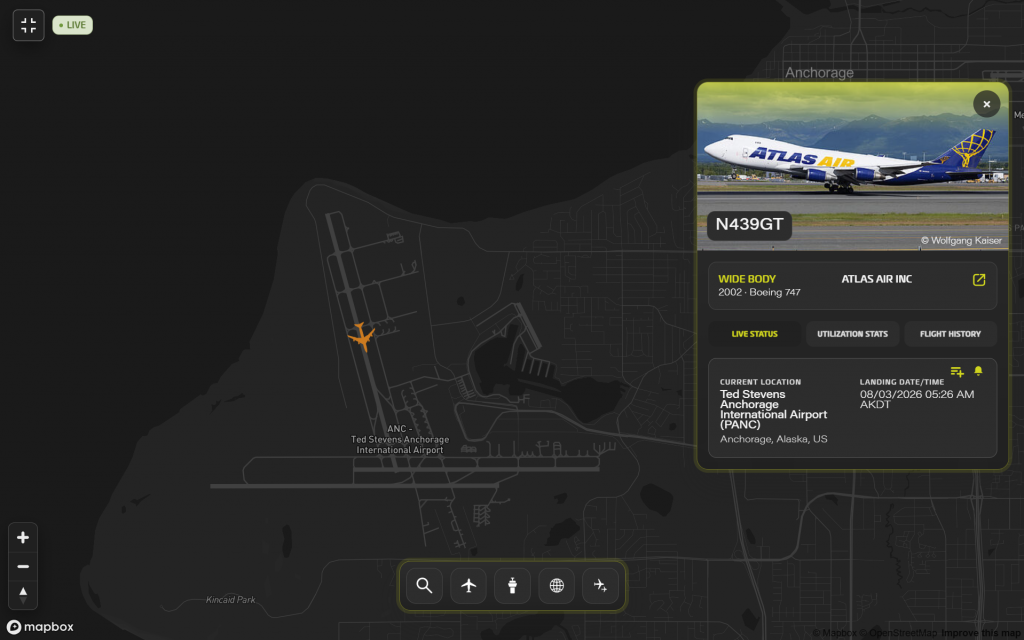
Sometimes you don’t want to browse— you’re looking for one jet. Search by tail number and Global Radar takes you straight there, whether that aircraft is:
- In Flight — the map centers on its live position, with departure info, altitude, and speed visible in real time. Quickly toggle tabs for Utilization Stats (yearly activity summaries) or Flight History (view the ten most recent trips).
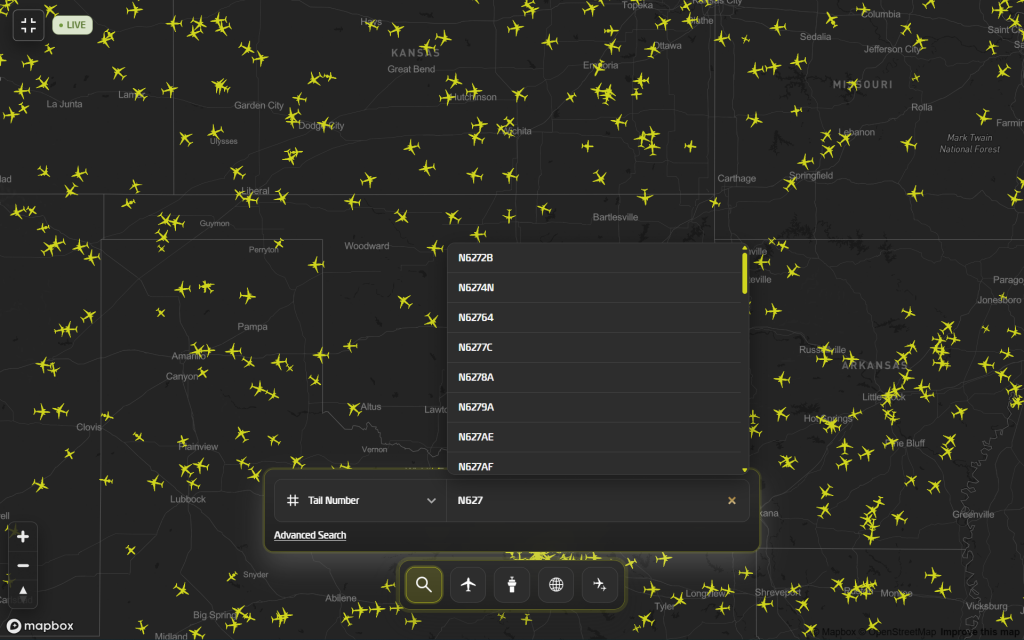
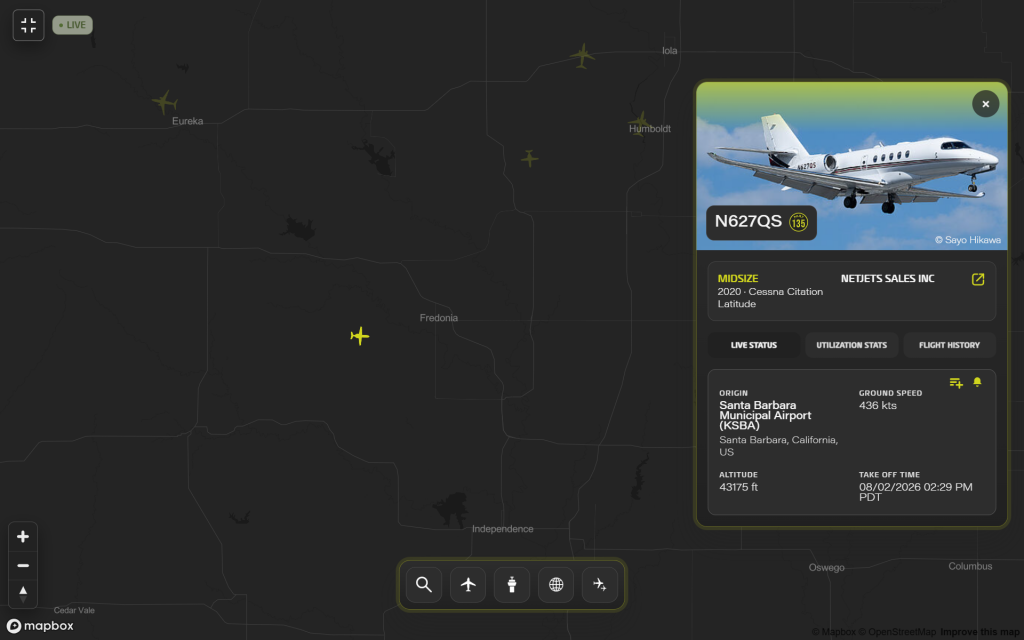
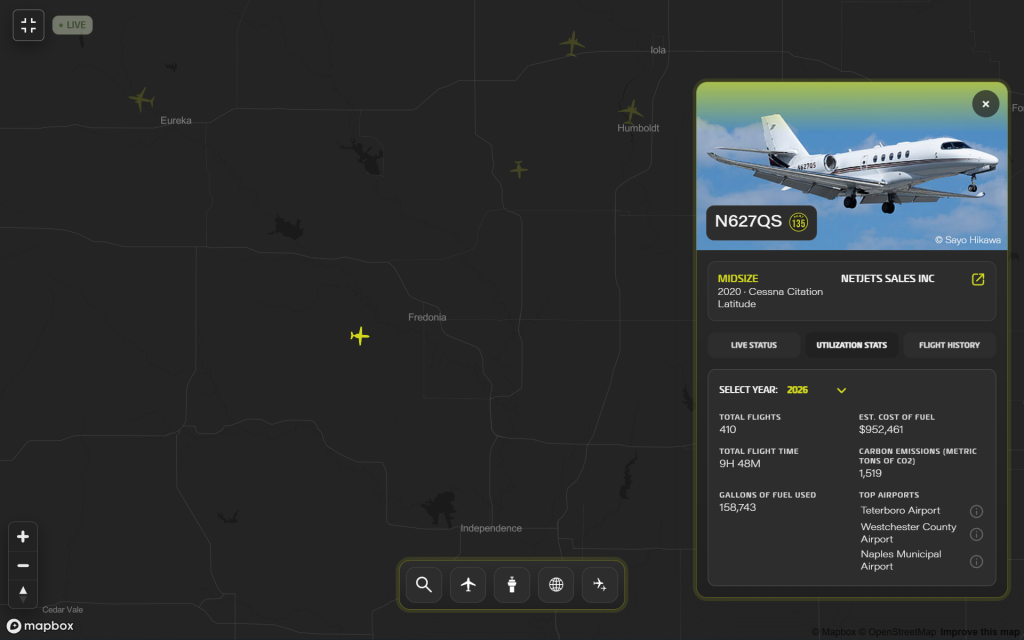
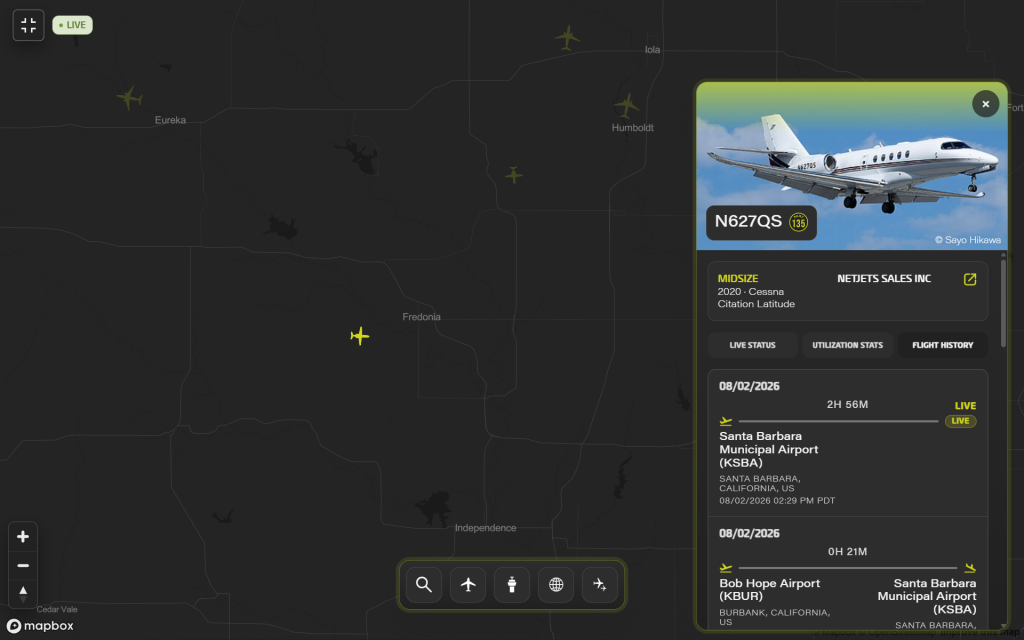
- On the Ground — the map takes you to its current location, with arrival info visible immediately. Again, quickly toggle tabs for Utilization Stats (yearly activity summaries) or Flight History (view the ten most recent trips).
Aircraft Class Toggle
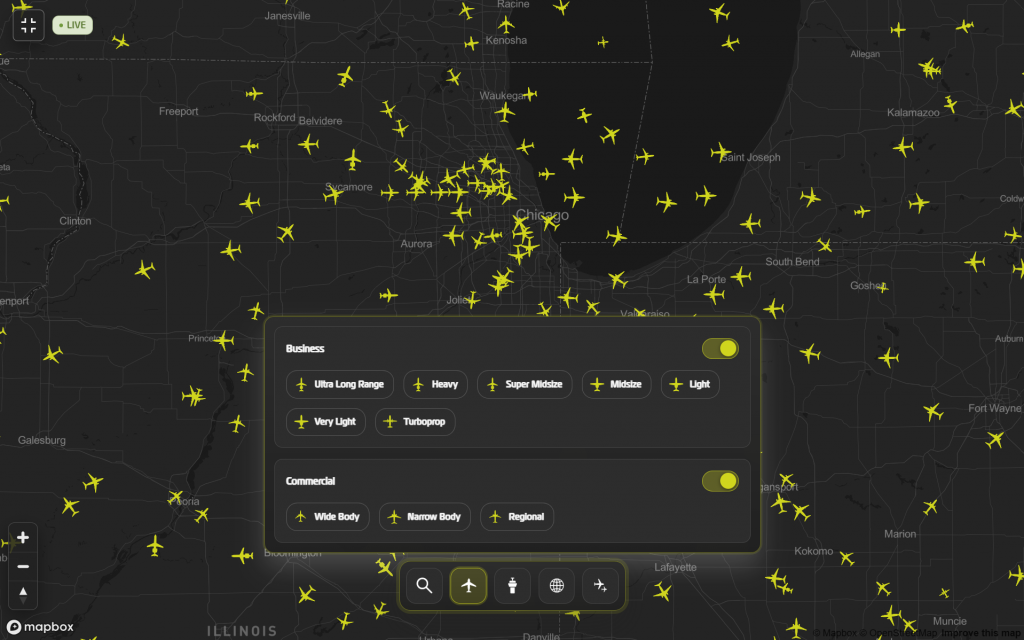
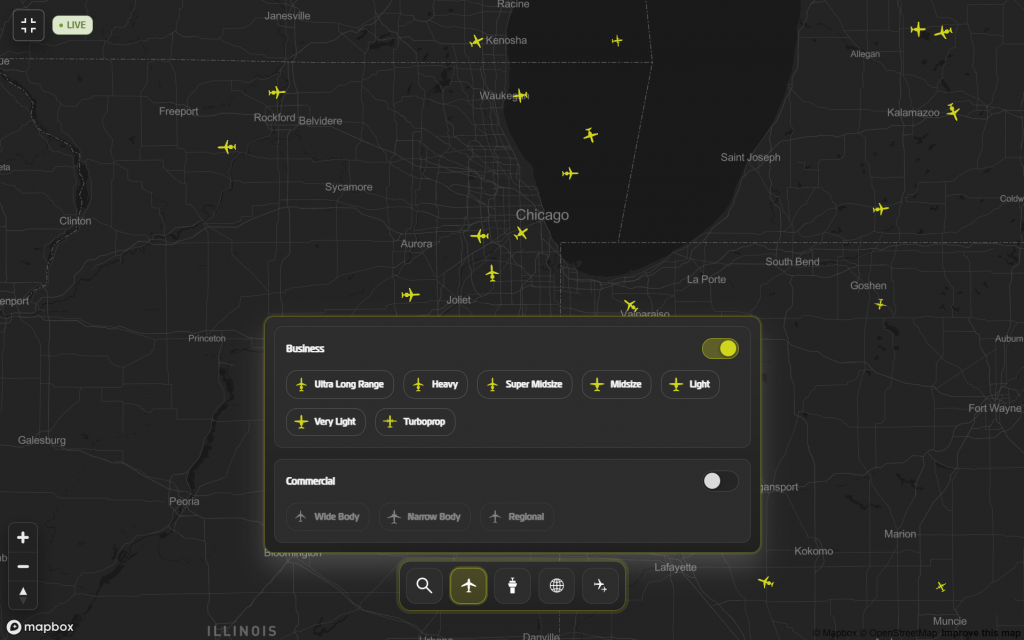
Not every mission needs every jet on your screen. The Aircraft Class toggle lets you narrow the map to see only the traffic that may matter to you:
- Business vs. Commercial — clear the airlines out entirely to focus only on bizav
- Granular business jet classes — go further and isolate by category, down to segments like Ultra Long Range— so if you only track Global 7500s, Falcon 8Xs, and Gulfstream G650s, that’s all you’ll see
For charter brokers watching competitive movement, or FBOs prospecting a specific segment of traffic, this turns a noisy global map into a focused one in a couple of clicks.
Airport Toggle
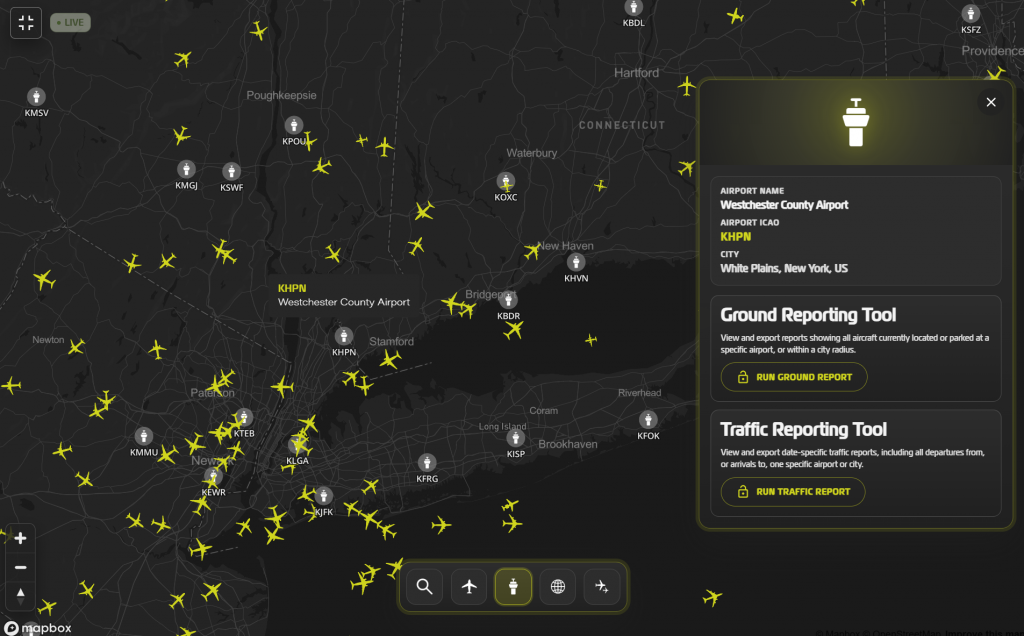
Turn on the Airport toggle and every airport on the map gets an icon and label— giving you spatial context for everything else you’re tracking. But it’s more than a reference layer.
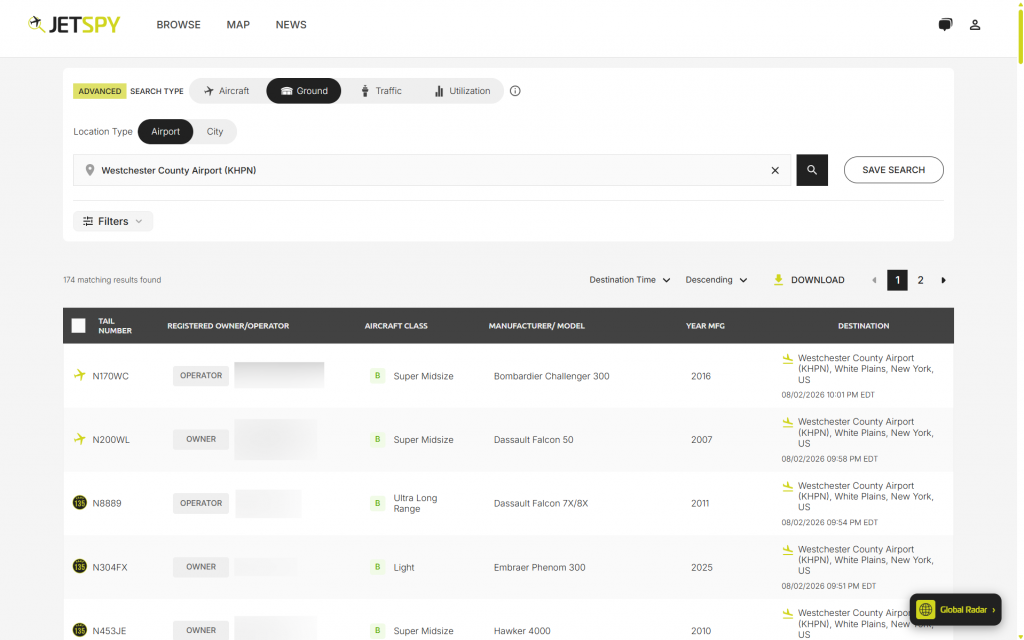
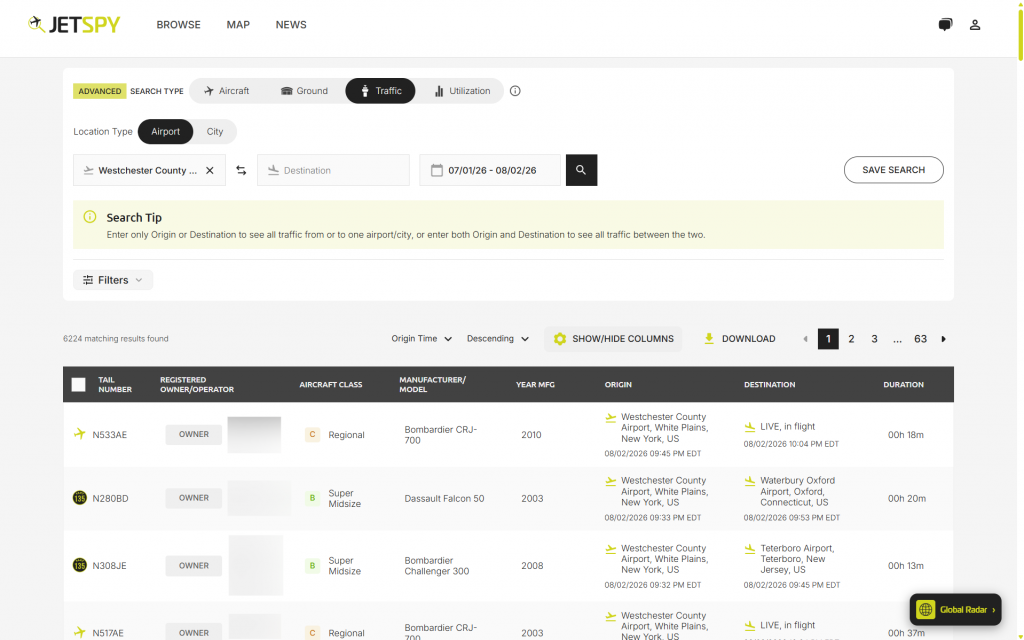
For Authority subscribers, airport icons are also a shortcut. Click into any airport and jump directly to JetSpy’s advanced, airport-centric reporting functions: Ground and Traffic— now one click away from the map you’re already looking at.
3D/2D Map Toggle
Prefer a flat, traditional map view? One click switches Global Radar from its native 3D perspective to a classic 2D layout— same data, same speed, different feel. Simple as that.
Fleet View Toggle
For Authority subscribers, Fleet View turns Global Radar into even more of a command center. Build custom aircraft subsets— a competitor’s fleet, an operator you’re watching, or your own Part 135 aircraft— and Fleet View shows the current status and location of every aircraft in that group, together, on one map.
No more checking tails one at a time. If you’re tracking a fleet, you see the whole fleet.
Summary
Global Radar is not a feature release in the usual sense— it’s a new foundation. Every capability covered above— aircraft search, class filtering, airport intelligence, fleet tracking— now enabled through a single, unified map built for speed and precision at a professional standard. And it’s built to grow: our map platform will continue to be built upon, with future enhancements and capabilities layered onto this same foundation.
The blocked-tail visibility that has always differentiated JetSpy hasn’t changed. What has changed is that it now lives inside a radar engineered to match it— and to keep pace with where we’re headed next.
Explore Limitless Flight Tracking. Global Radar is now live.